


Introduction
In cPanel & WHM version 94, we added the Welcome panel to the cPanel interface. Here is the Welcome panel:
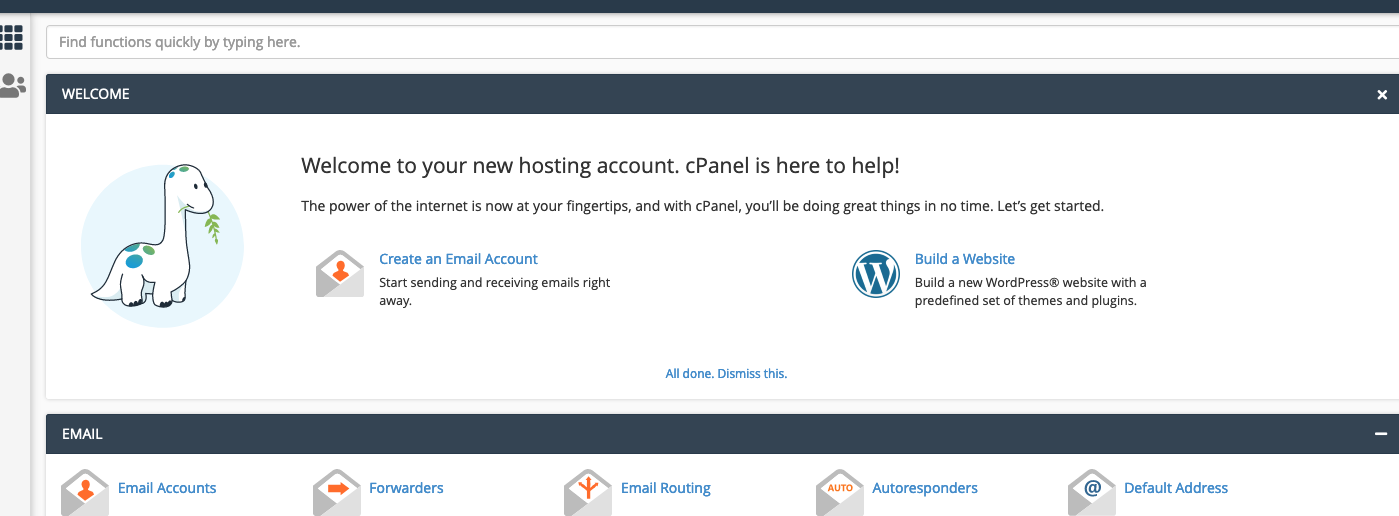
The Welcome panel displays common features that new users often access which you can view details on here:
The cPanel Interface - The Welcome panel
If you wish, you can disable the Welcome panel server-wide for newly created accounts from the command-line within the Skeleton Directory:
Procedure
You will want to create the /root/cpanel3-skel/.cpanel/nvdata/xmainwelcomedismissed file with the contents of 1 and its parent directories within the Skeleton directory by running the following command:
mkdir -pv /root/cpanel3-skel/.cpanel/nvdata; echo "1" > /root/cpanel3-skel/.cpanel/nvdata/xmainwelcomedismissed
Please note - this article only applies to newly created accounts and not existing accounts. The following support article should be helpful if you want to disable the Welcome Panel for an existing account:
How To Disable/Enable The Welcome Panel in Version 94 From The CLI?
